IT Solutions Supplier in Oman for Business, Government and Growing Organizations
Fourteck helps organizations in Oman plan and source the technology that keeps people connected, workplaces productive and business systems easier to manage. Our portfolio covers CCTV and IP cameras, video and audio conferencing, IP PBX and business telephones, laptops and desktops, firewalls, servers, network switches, Wi-Fi access points, access control, interactive wallboards and commercial displays. We can support a single product requirement or help coordinate a broader solution across devices, networks, rooms and sites.
Choosing equipment is only one part of a successful project. The useful result comes from matching products to a real requirement, checking compatibility, planning installation and documenting how the solution will be operated. Fourteck works with customers to understand their environment, compare practical options and build a clear specification before procurement. This page explains the solution areas we support, the questions worth asking and how organizations can approach technology projects across Muscat and other locations in Oman.
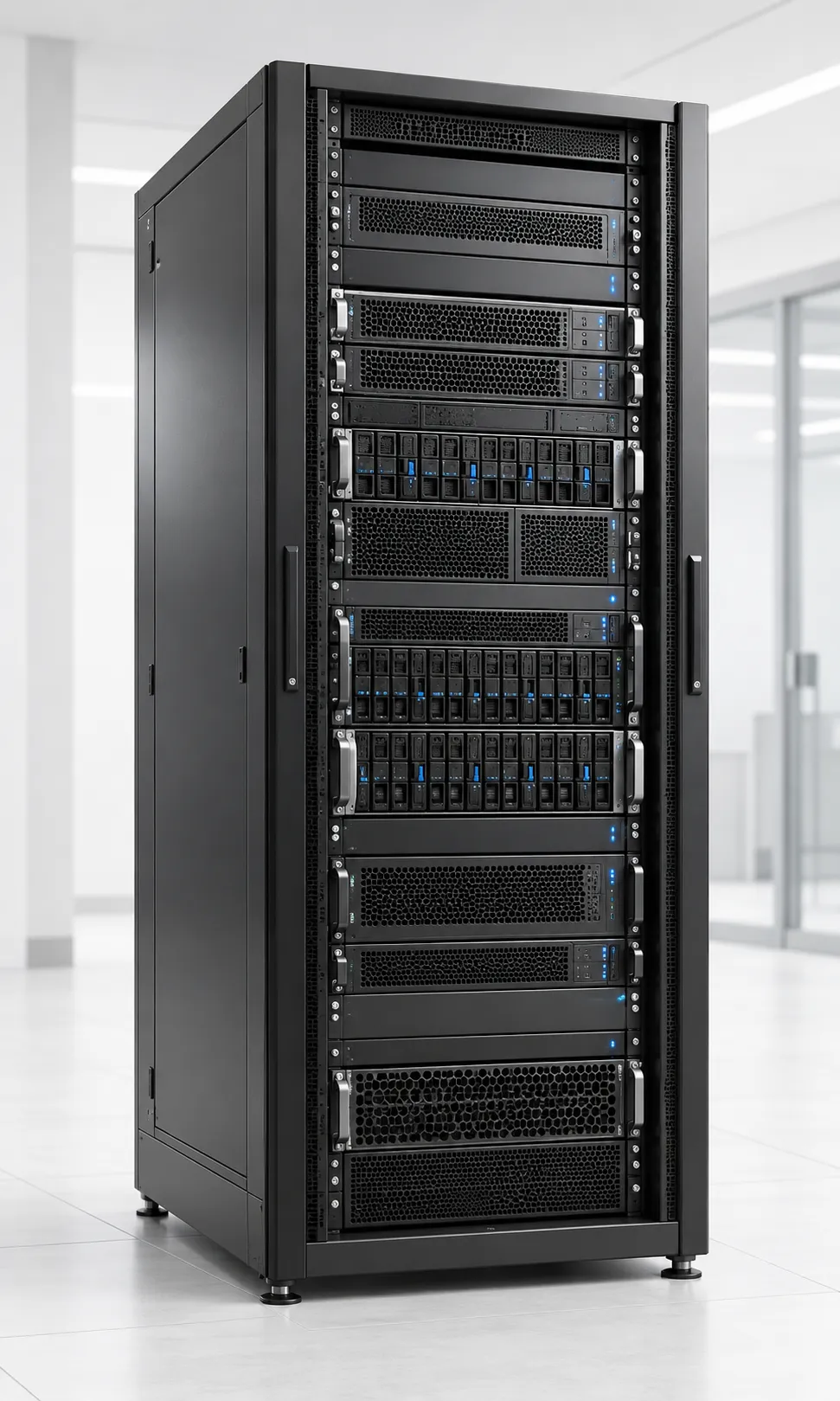
Business IT Products and Solutions We Provide in Oman
Fourteck provides technology products and solution support for organizations that want a more dependable way to source, deploy and maintain business IT. Our work spans workplace devices, network infrastructure, security systems, communications, meeting rooms and shared displays. We can help define the requirement, prepare a bill of materials, check product fit and coordinate the next steps with the customer’s internal team or appointed integrator.
Organizations often begin with a straightforward need: improve wireless coverage, replace ageing computers, protect a site with cameras, connect a new office, update a meeting room or manage calls more effectively. These projects can affect other systems, so our approach looks beyond the individual item. For example, a camera project also needs network ports, power, recording capacity, retention choices and authorized access. A conference room needs suitable displays, microphones, loudspeakers, cabling, network access and a meeting platform that people already use.
Fourteck can help customers assess those connections and identify the decisions that have to be made before ordering. The right scope depends on the site, user count, existing equipment, operating requirements and budget. We aim to make options understandable, keep product recommendations tied to stated needs and avoid implying that one model or configuration suits every environment.
Explore the Main Solution Areas
Choose a category to jump to its overview, planning considerations and common business uses. Each section below matches a supplied product image to the relevant solution area.
- CCTV and IP Camera Solutions
- Video Conferencing Systems
- Audio Conferencing Systems
- IP PBX and Business Telephony
- Business Laptops
- Business Desktops and Workstations
- Firewall and Network Security
- IP Phones and VoIP Endpoints
- Servers and Server Room Infrastructure
- Network Switches and Structured Connectivity
- Wi-Fi Access Points and Wireless Networks
- Access Control Systems
- Interactive Wallboards and Digital Collaboration Displays
- Commercial TVs and Display Systems
- IP Camera Systems
CCTV and IP Camera Solutions in Oman
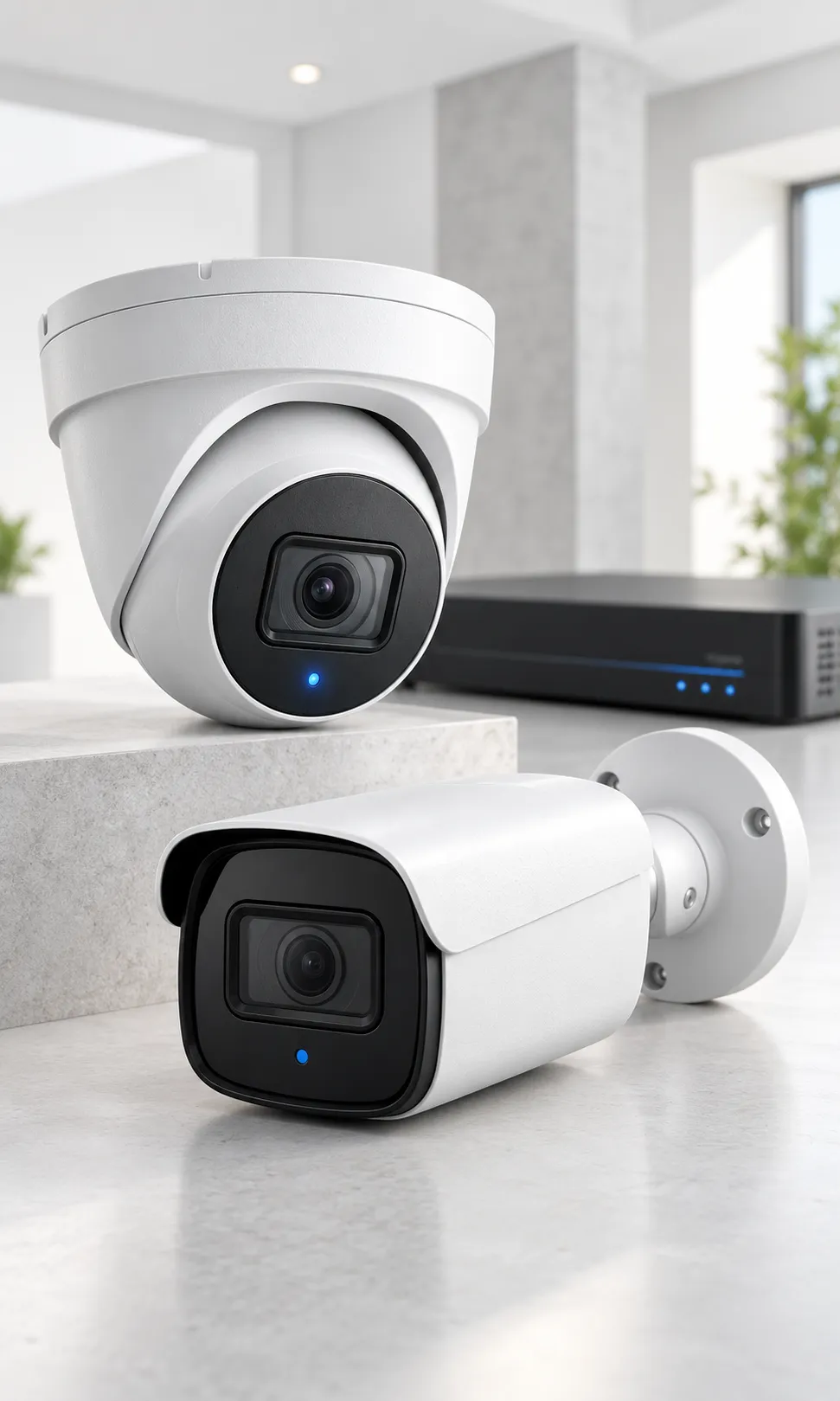
Business Cctv And Ip Camera Systems
CCTV and IP Camera Solutions supports organizations that need clear, dependable video coverage of entrances, work areas, stock rooms, vehicle gates and shared spaces. Fourteck can help assess the requirement, compare product options and identify dependencies before procurement. Typical environments include retail outlets, offices, warehouses, schools, clinics, hospitality properties and industrial sites. The right design depends on the site, users, existing equipment and required outcome, so a clear discovery discussion is the best first step.
Planning and selection
Review camera positions, viewing angles, lighting at day and night, retention period, network capacity, recorder location, privacy boundaries and secure remote viewing. Then compare camera resolution and lens, fixed or varifocal view, indoor or outdoor rating, low-light performance, recording method, storage capacity, analytics needs and future expansion. Check exact model numbers, interfaces, included accessories, licensing, warranty, delivery and installation responsibility. Separate essential requirements from preferences, and confirm assumptions against manufacturer documentation or a site assessment where needed.
What the solution should achieve
A well-planned cctv and ip camera solutions project should deliver a practical camera layout that helps authorized staff review incidents, understand activity and manage site security with less guesswork. Define acceptance points, identify who administers the system and document how routine changes or faults will be handled. Clear ownership supports a smoother handover and makes future troubleshooting more predictable.
Common business use cases
- Monitoring reception and visitor entry: define the users, location and operating requirements, then verify the expected result during handover.
- Reviewing loading bays and delivery movements: define the users, location and operating requirements, then verify the expected result during handover.
- Protecting cash handling or high-value stock zones: define the users, location and operating requirements, then verify the expected result during handover.
- Checking vehicle access and perimeter activity: define the users, location and operating requirements, then verify the expected result during handover.
Map how the system depends on cabling, network capacity, power, software, user accounts or other equipment. Assign an owner to each dependency and note any local differences across sites.
Security and operating note: the system should record only the areas needed for a legitimate security purpose, restrict access to authorized users, use strong credentials and follow applicable privacy and employment requirements. Confirm relevant requirements and vendor guidance before deployment. No single product replaces a broader security, safety or privacy program.
Fourteck can help clarify specifications, quantities and open questions. Share site locations, target dates, existing model numbers and preferred platforms. Complex projects may need a survey, pilot or phased rollout.
Frequently asked question: What should an Oman business check before choosing CCTV?
Start with a site survey, the areas that need coverage, expected image detail, lighting, recording duration, network readiness and who will review footage. A camera count alone cannot determine whether a design will capture useful evidence.
Video Conferencing Systems in Oman
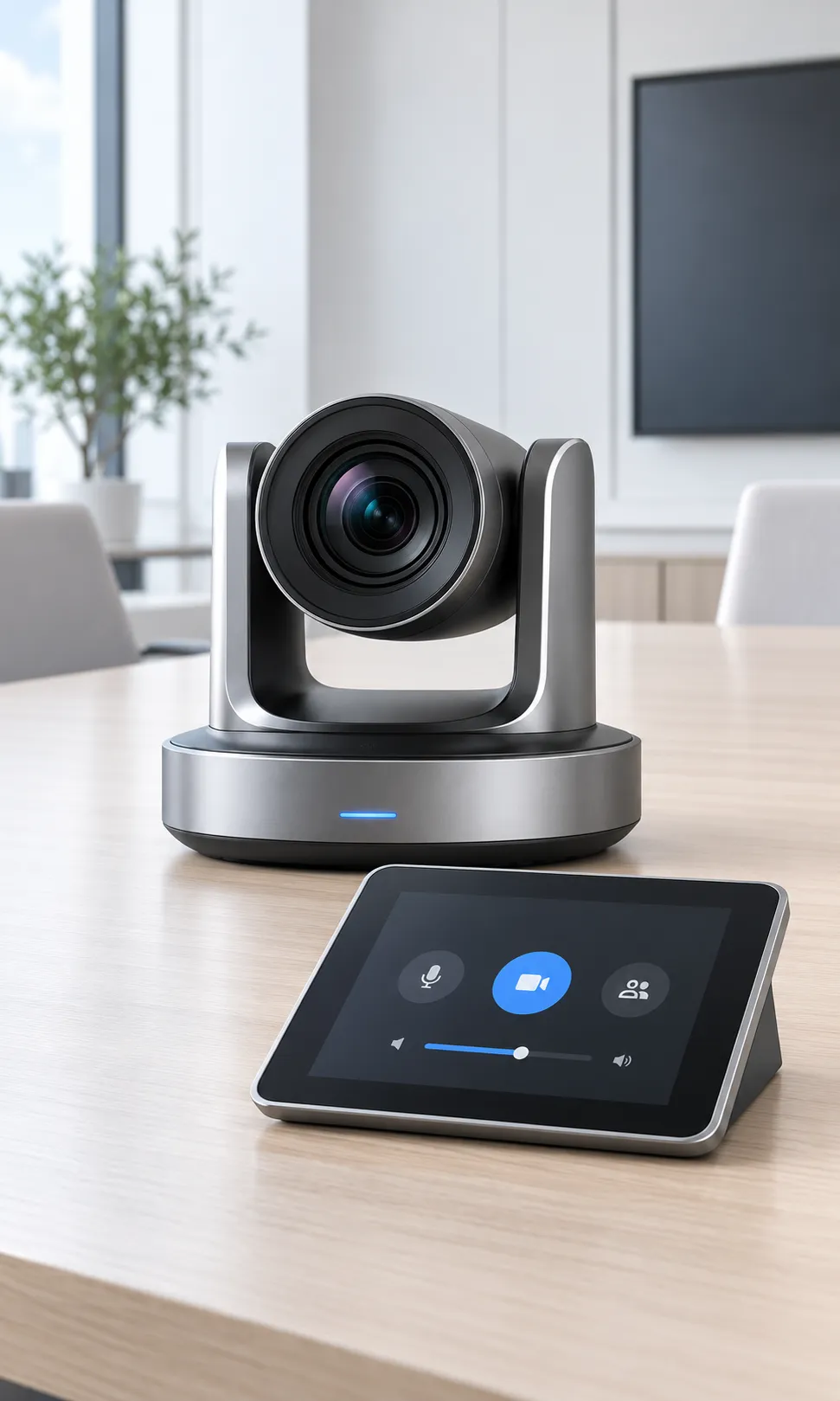
Video Conferencing Room Systems
Video Conferencing Systems supports organizations that need natural, reliable conversations between people in the room and colleagues joining from another location. Fourteck can help assess the requirement, compare product options and identify dependencies before procurement. Typical environments include executive boardrooms, medium meeting rooms, training spaces, project rooms and hybrid-work areas. The right design depends on the site, users, existing equipment and required outcome, so a clear discovery discussion is the best first step.
Planning and selection
Review room dimensions, table shape, seating distance, display size, camera framing, microphone pickup, loudspeaker coverage, platform compatibility, cabling and room controls. Then compare room size, one-touch join requirements, supported meeting platforms, camera field of view, microphone expansion, dual-display needs, wireless sharing and management tools. Check exact model numbers, interfaces, included accessories, licensing, warranty, delivery and installation responsibility. Separate essential requirements from preferences, and confirm assumptions against manufacturer documentation or a site assessment where needed.
What the solution should achieve
A well-planned video conferencing systems project should deliver a room where participants can see shared content, hear every speaker and start meetings without troubleshooting a collection of disconnected devices. Define acceptance points, identify who administers the system and document how routine changes or faults will be handled. Clear ownership supports a smoother handover and makes future troubleshooting more predictable.
Common business use cases
- Hybrid management meetings: define the users, location and operating requirements, then verify the expected result during handover.
- Remote project reviews across branches: define the users, location and operating requirements, then verify the expected result during handover.
- Customer and supplier presentations: define the users, location and operating requirements, then verify the expected result during handover.
- Staff training and interviews: define the users, location and operating requirements, then verify the expected result during handover.
Map how the system depends on cabling, network capacity, power, software, user accounts or other equipment. Assign an owner to each dependency and note any local differences across sites.
Security and operating note: the exact room kit depends on the video platform, account licensing, user devices and network policy. Confirm interoperability and any platform restrictions before procurement. Confirm relevant requirements and vendor guidance before deployment. No single product replaces a broader security, safety or privacy program.
Fourteck can help clarify specifications, quantities and open questions. Share site locations, target dates, existing model numbers and preferred platforms. Complex projects may need a survey, pilot or phased rollout.
Frequently asked question: How do we select a video conferencing system for a meeting room?
Match the camera, microphones, speakers and display arrangement to the room size and seating plan. Then verify support for the organization’s meeting platform, content-sharing method, network and room-control preferences.
Audio Conferencing Systems in Oman
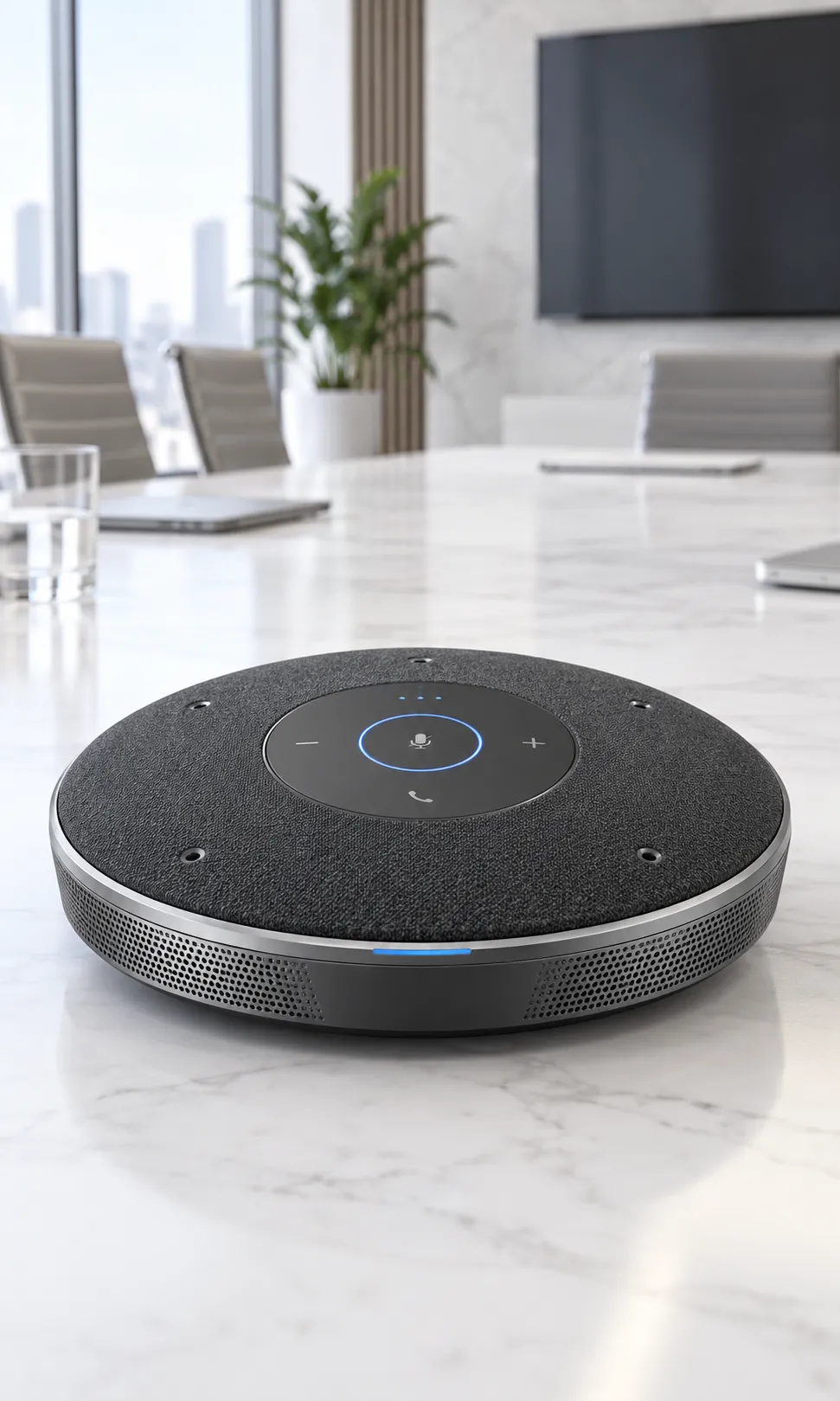
Business Audio Conferencing Systems
Audio Conferencing Systems supports organizations that need speech that stays intelligible when participants sit around a table, join remotely or speak from different parts of a room. Fourteck can help assess the requirement, compare product options and identify dependencies before procurement. Typical environments include conference rooms, council and training rooms, consultation areas, boardrooms and spaces where a video system is not always required. The right design depends on the site, users, existing equipment and required outcome, so a clear discovery discussion is the best first step.
Planning and selection
Review room acoustics, reverberation, seating positions, microphone pickup zones, loudspeaker placement, echo control, connection to conferencing platforms and expansion requirements. Then compare tabletop or ceiling microphones, wired or wireless operation, number of participants, room size, mixing and echo processing, recording needs and integration with existing equipment. Check exact model numbers, interfaces, included accessories, licensing, warranty, delivery and installation responsibility. Separate essential requirements from preferences, and confirm assumptions against manufacturer documentation or a site assessment where needed.
What the solution should achieve
A well-planned audio conferencing systems project should deliver more balanced meeting audio, fewer repeated questions and a clearer way for remote participants to follow the discussion. Define acceptance points, identify who administers the system and document how routine changes or faults will be handled. Clear ownership supports a smoother handover and makes future troubleshooting more predictable.
Common business use cases
- Board and committee discussions: define the users, location and operating requirements, then verify the expected result during handover.
- Multi-party project calls: define the users, location and operating requirements, then verify the expected result during handover.
- Training sessions with audience questions: define the users, location and operating requirements, then verify the expected result during handover.
- Consultation rooms requiring hands-free conversation: define the users, location and operating requirements, then verify the expected result during handover.
Map how the system depends on cabling, network capacity, power, software, user accounts or other equipment. Assign an owner to each dependency and note any local differences across sites.
Security and operating note: a microphone that works well in one room may perform poorly in another. A room assessment should consider reflective surfaces, air-conditioning noise and how people actually use the table. Confirm relevant requirements and vendor guidance before deployment. No single product replaces a broader security, safety or privacy program.
Fourteck can help clarify specifications, quantities and open questions. Share site locations, target dates, existing model numbers and preferred platforms. Complex projects may need a survey, pilot or phased rollout.
Frequently asked question: When is a dedicated audio conference system useful?
It helps when a standard laptop microphone cannot capture all participants consistently, particularly in larger rooms, around long tables or during meetings where clear speech matters.
IP PBX and Business Telephony in Oman
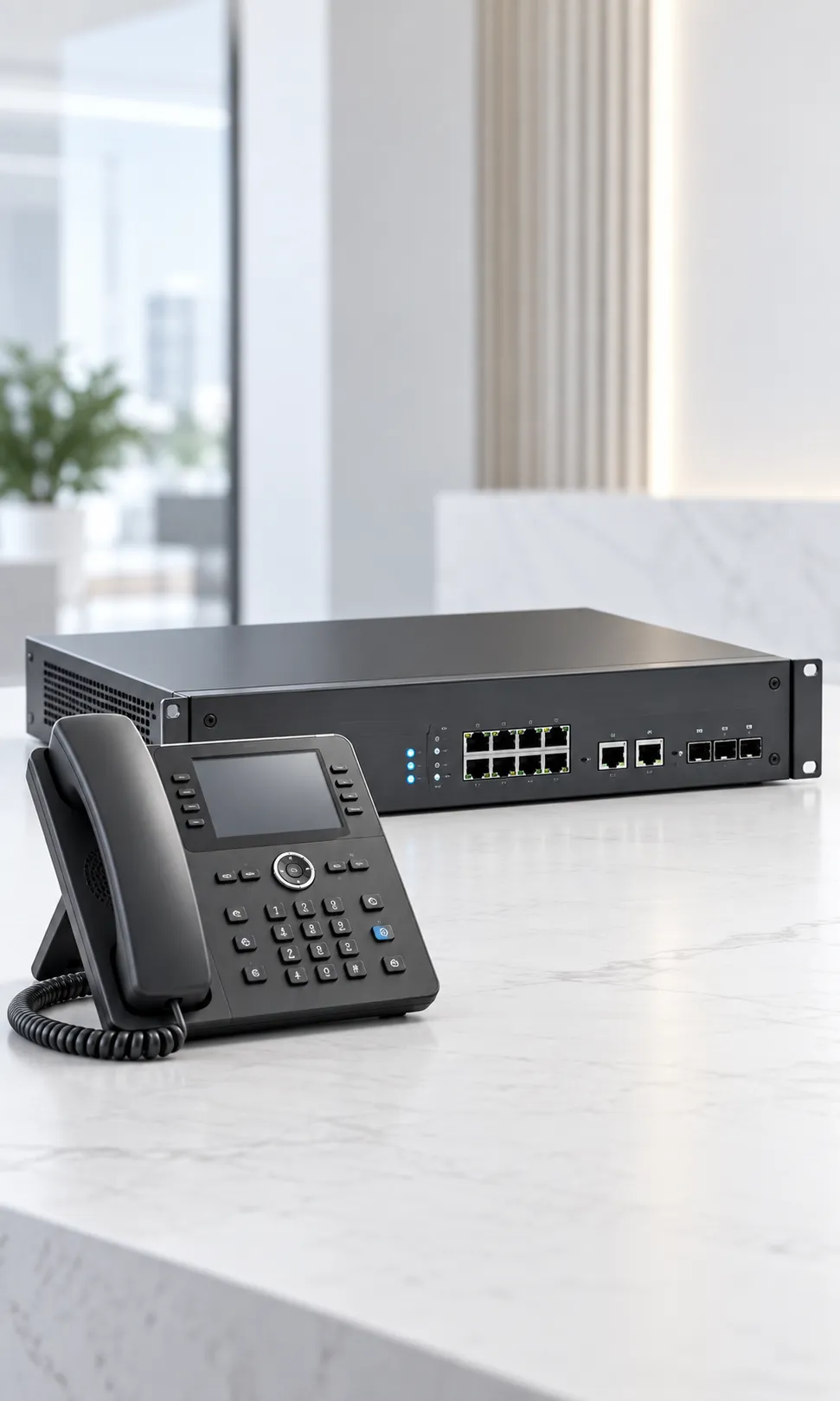
Ip Pbx Phone Systems For Businesses
IP PBX and Business Telephony supports organizations that need a structured way to handle internal calls, customer enquiries, extensions, queues and calls between offices. Fourteck can help assess the requirement, compare product options and identify dependencies before procurement. Typical environments include small and mid-sized businesses, hotels, service desks, clinics, schools, multi-branch companies and growing customer-support teams. The right design depends on the site, users, existing equipment and required outcome, so a clear discovery discussion is the best first step.
Planning and selection
Review number of users, concurrent calls, extensions, call flows, auto attendants, hunt groups, voicemail, remote users, analog requirements, number-porting, failover and support ownership. Then compare on-premises or hosted architecture, endpoint types, licensing, session capacity, carrier connection, call recording policy, integrations, resilience and administration skills. Check exact model numbers, interfaces, included accessories, licensing, warranty, delivery and installation responsibility. Separate essential requirements from preferences, and confirm assumptions against manufacturer documentation or a site assessment where needed.
What the solution should achieve
A well-planned ip pbx and business telephony project should deliver a telephone environment that routes calls more deliberately and can adapt as teams, departments and locations change. Define acceptance points, identify who administers the system and document how routine changes or faults will be handled. Clear ownership supports a smoother handover and makes future troubleshooting more predictable.
Common business use cases
- Routing new enquiries to the correct team: define the users, location and operating requirements, then verify the expected result during handover.
- Connecting reception, departments and branch offices: define the users, location and operating requirements, then verify the expected result during handover.
- Supporting remote staff with approved extensions: define the users, location and operating requirements, then verify the expected result during handover.
- Organizing service queues and after-hours greetings: define the users, location and operating requirements, then verify the expected result during handover.
Map how the system depends on cabling, network capacity, power, software, user accounts or other equipment. Assign an owner to each dependency and note any local differences across sites.
Security and operating note: telephony changes can affect emergency calling, business numbers and customer access. Plan number porting, routing, user communication and a rollback path with the relevant service providers. Confirm relevant requirements and vendor guidance before deployment. No single product replaces a broader security, safety or privacy program.
Fourteck can help clarify specifications, quantities and open questions. Share site locations, target dates, existing model numbers and preferred platforms. Complex projects may need a survey, pilot or phased rollout.
Frequently asked question: What does an IP PBX do?
An IP PBX manages business telephone extensions and call routing over an IP network. Depending on the design, it can support features such as automated menus, ring groups, voicemail and connections between offices.
Business Laptops in Oman

Business Laptops For Oman Organizations
Business Laptops supports organizations that need portable computers that fit each employee’s role, mobility pattern, software and support expectations. Fourteck can help assess the requirement, compare product options and identify dependencies before procurement. Typical environments include office teams, field staff, managers, educators, sales teams, consultants and employees who alternate between desks and customer sites. The right design depends on the site, users, existing equipment and required outcome, so a clear discovery discussion is the best first step.
Planning and selection
Review business applications, processor and memory needs, storage, screen size, battery expectations, wireless connectivity, ports, docking, device encryption and warranty coverage. Then compare device class, performance tier, display and keyboard preference, USB-C docking, webcam and microphone, operating-system edition, endpoint security and lifecycle length. Check exact model numbers, interfaces, included accessories, licensing, warranty, delivery and installation responsibility. Separate essential requirements from preferences, and confirm assumptions against manufacturer documentation or a site assessment where needed.
What the solution should achieve
A well-planned business laptops project should deliver a more consistent device standard that supports daily work while keeping purchasing, setup and replacement easier to manage. Define acceptance points, identify who administers the system and document how routine changes or faults will be handled. Clear ownership supports a smoother handover and makes future troubleshooting more predictable.
Common business use cases
- Office productivity and business applications: define the users, location and operating requirements, then verify the expected result during handover.
- Presentations and customer visits: define the users, location and operating requirements, then verify the expected result during handover.
- Remote collaboration and video calls: define the users, location and operating requirements, then verify the expected result during handover.
- Mobile work between branches or project sites: define the users, location and operating requirements, then verify the expected result during handover.
Map how the system depends on cabling, network capacity, power, software, user accounts or other equipment. Assign an owner to each dependency and note any local differences across sites.
Security and operating note: select devices against approved software and security requirements. Check local warranty terms, keyboard layout, operating-system licensing and the organization’s device-management approach. Confirm relevant requirements and vendor guidance before deployment. No single product replaces a broader security, safety or privacy program.
Fourteck can help clarify specifications, quantities and open questions. Share site locations, target dates, existing model numbers and preferred platforms. Complex projects may need a survey, pilot or phased rollout.
Frequently asked question: How should a company choose laptops for staff?
Define job-based configurations first. Mobile employees may value weight, battery and connectivity, while technical roles may need more memory or graphics capability. Standardizing a few suitable models simplifies deployment and support.
Business Desktops and Workstations in Oman

Business Desktop Computers And Workstations
Business Desktops and Workstations supports organizations that need reliable fixed workstations for users who need a stable desk setup, predictable performance and straightforward peripherals. Fourteck can help assess the requirement, compare product options and identify dependencies before procurement. Typical environments include reception desks, finance teams, control rooms, education labs, design departments, back offices and shared work areas. The right design depends on the site, users, existing equipment and required outcome, so a clear discovery discussion is the best first step.
Planning and selection
Review application profile, monitor count and resolution, CPU and memory load, graphics needs, physical footprint, cooling, port requirements, operating system and recovery process. Then compare small form factor or tower, business desktop or workstation, memory and storage configuration, graphics card, monitor arrangement, peripherals, warranty and upgrade path. Check exact model numbers, interfaces, included accessories, licensing, warranty, delivery and installation responsibility. Separate essential requirements from preferences, and confirm assumptions against manufacturer documentation or a site assessment where needed.
What the solution should achieve
A well-planned business desktops and workstations project should deliver a workstation standard that fits each role without paying for unused capacity or creating avoidable support variations. Define acceptance points, identify who administers the system and document how routine changes or faults will be handled. Clear ownership supports a smoother handover and makes future troubleshooting more predictable.
Common business use cases
- Administrative and finance workflows: define the users, location and operating requirements, then verify the expected result during handover.
- Multi-monitor customer-service positions: define the users, location and operating requirements, then verify the expected result during handover.
- Computer labs and training rooms: define the users, location and operating requirements, then verify the expected result during handover.
- Graphics, engineering or data-intensive work: define the users, location and operating requirements, then verify the expected result during handover.
Map how the system depends on cabling, network capacity, power, software, user accounts or other equipment. Assign an owner to each dependency and note any local differences across sites.
Security and operating note: performance requirements vary by software and workload. Check application vendor guidance and validate demanding workflows before specifying a large fleet. Confirm relevant requirements and vendor guidance before deployment. No single product replaces a broader security, safety or privacy program.
Fourteck can help clarify specifications, quantities and open questions. Share site locations, target dates, existing model numbers and preferred platforms. Complex projects may need a survey, pilot or phased rollout.
Frequently asked question: When is a desktop preferable to a laptop?
A desktop can suit fixed workstations where mobility is unnecessary, sustained performance or expansion matters, and users benefit from a stable monitor, keyboard and docking arrangement.
Firewall and Network Security in Oman
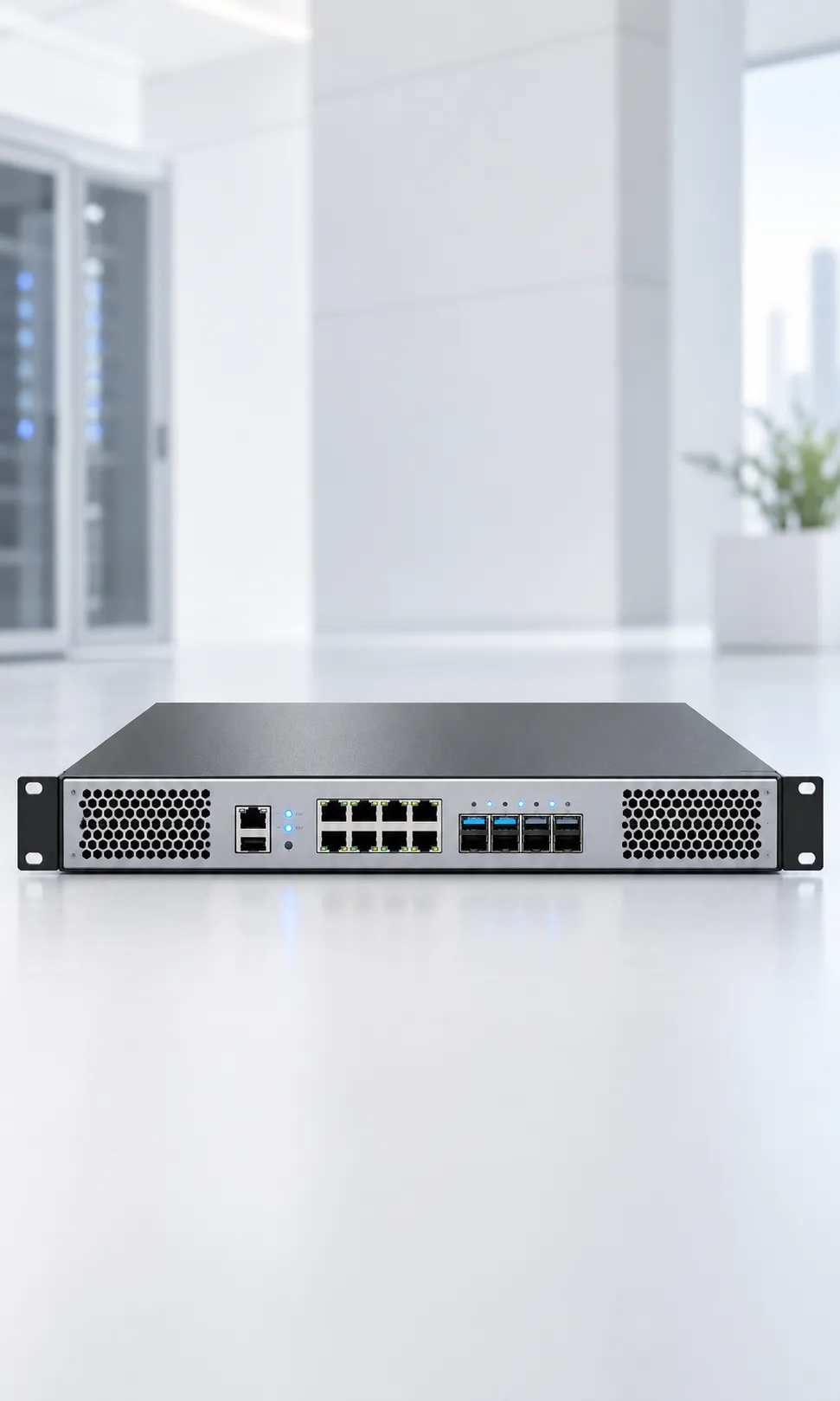
Business Firewall Solutions In Oman
Firewall and Network Security supports organizations that need controlled connections between the organization, the internet, branches, cloud services and internal network zones. Fourteck can help assess the requirement, compare product options and identify dependencies before procurement. Typical environments include single-site offices, retail networks, hospitality environments, schools, warehouses, industrial offices and multi-branch enterprises. The right design depends on the site, users, existing equipment and required outcome, so a clear discovery discussion is the best first step.
Planning and selection
Review internet circuits, user count, encrypted traffic, VPN users, segmentation, security subscriptions, logging, high availability, remote access, policy ownership and renewal dates. Then compare throughput under enabled security services, interface mix, VPN capacity, redundant power or appliances, centralized management, support entitlement and licensing period. Check exact model numbers, interfaces, included accessories, licensing, warranty, delivery and installation responsibility. Separate essential requirements from preferences, and confirm assumptions against manufacturer documentation or a site assessment where needed.
What the solution should achieve
A well-planned firewall and network security project should deliver a security gateway sized around real traffic and administered through documented rules, monitoring and change control. Define acceptance points, identify who administers the system and document how routine changes or faults will be handled. Clear ownership supports a smoother handover and makes future troubleshooting more predictable.
Common business use cases
- Separating guest Wi-Fi from business systems: define the users, location and operating requirements, then verify the expected result during handover.
- Connecting branch offices through approved VPN designs: define the users, location and operating requirements, then verify the expected result during handover.
- Controlling application and web access: define the users, location and operating requirements, then verify the expected result during handover.
- Monitoring security events and policy changes: define the users, location and operating requirements, then verify the expected result during handover.
Map how the system depends on cabling, network capacity, power, software, user accounts or other equipment. Assign an owner to each dependency and note any local differences across sites.
Security and operating note: a firewall is one layer in a wider security program. Maintain software, review access rules, protect administrator accounts, monitor alerts and test recovery procedures; product selection does not guarantee security. Confirm relevant requirements and vendor guidance before deployment. No single product replaces a broader security, safety or privacy program.
Fourteck can help clarify specifications, quantities and open questions. Share site locations, target dates, existing model numbers and preferred platforms. Complex projects may need a survey, pilot or phased rollout.
Frequently asked question: What information helps size a business firewall?
Share the number of users and sites, internet speeds, enabled security functions, VPN demand, expected growth and resilience needs. Raw port speed alone does not show how the device performs with security inspection enabled.
IP Phones and VoIP Endpoints in Oman
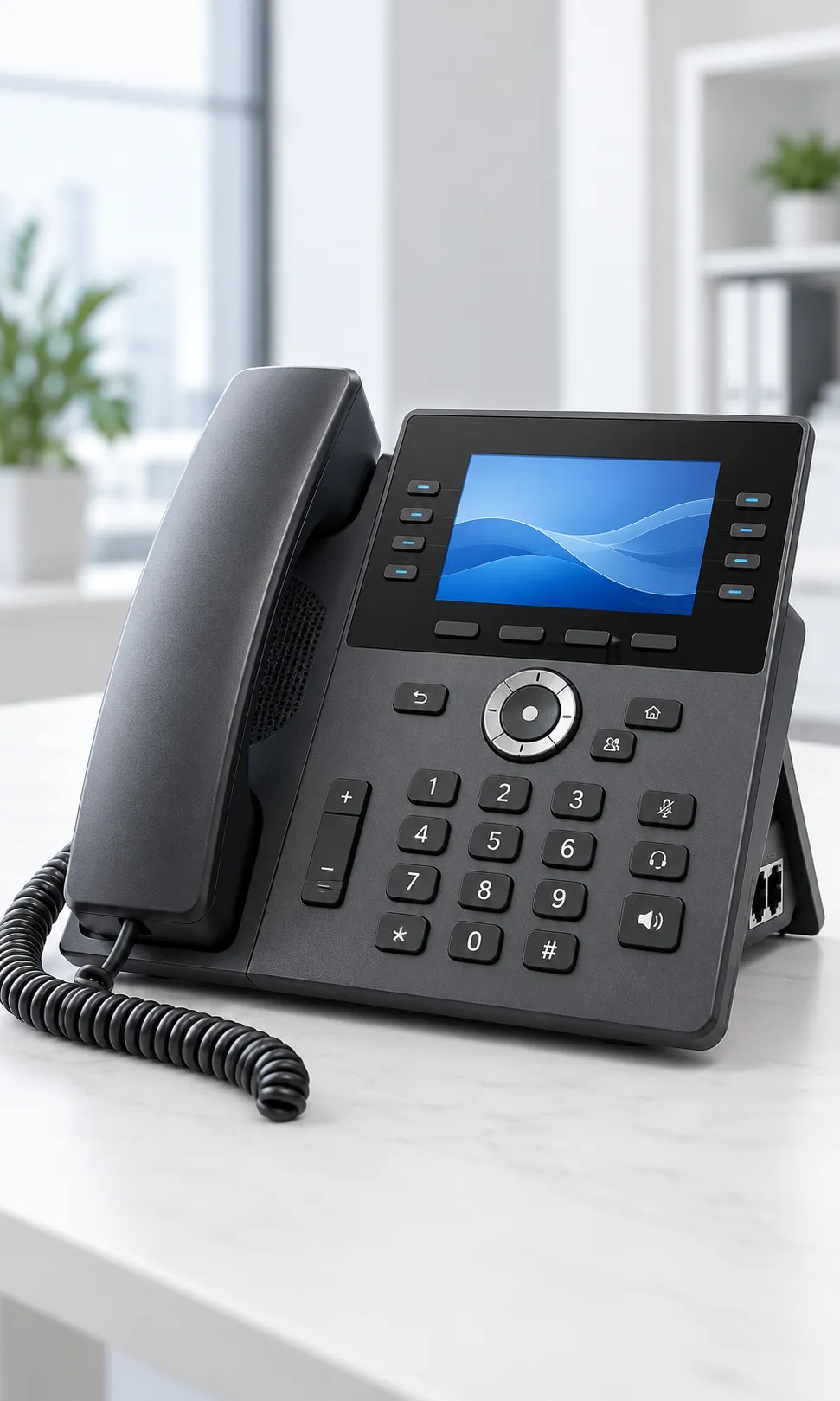
Ip Phones For Business Communication
IP Phones and VoIP Endpoints supports organizations that need desk phones that give staff dependable access to extensions, shared lines and business calling features. Fourteck can help assess the requirement, compare product options and identify dependencies before procurement. Typical environments include reception, call centres, offices, hotel desks, service counters, executive rooms and staff who prefer a physical handset. The right design depends on the site, users, existing equipment and required outcome, so a clear discovery discussion is the best first step.
Planning and selection
Review phone-system compatibility, user features, line keys, headset use, Power over Ethernet, directory provisioning, VLAN policy, emergency calling and remote configuration. Then compare entry or advanced phone, number of SIP accounts, display and keys, handset or headset use, speakerphone, Wi-Fi or Bluetooth needs, PoE availability and management tools. Check exact model numbers, interfaces, included accessories, licensing, warranty, delivery and installation responsibility. Separate essential requirements from preferences, and confirm assumptions against manufacturer documentation or a site assessment where needed.
What the solution should achieve
A well-planned ip phones and voip endpoints project should deliver endpoints that are easier to provision consistently and better suited to the way each role handles calls. Define acceptance points, identify who administers the system and document how routine changes or faults will be handled. Clear ownership supports a smoother handover and makes future troubleshooting more predictable.
Common business use cases
- Reception and operator positions: define the users, location and operating requirements, then verify the expected result during handover.
- Shared phones for shifts or common areas: define the users, location and operating requirements, then verify the expected result during handover.
- Customer-service and support teams: define the users, location and operating requirements, then verify the expected result during handover.
- Executives and frequent callers needing programmable keys: define the users, location and operating requirements, then verify the expected result during handover.
Map how the system depends on cabling, network capacity, power, software, user accounts or other equipment. Assign an owner to each dependency and note any local differences across sites.
Security and operating note: confirm that chosen phone models work with the IP PBX, hosted voice platform, firmware policy and carrier configuration. Emergency calling depends on the deployed service and location settings. Confirm relevant requirements and vendor guidance before deployment. No single product replaces a broader security, safety or privacy program.
Fourteck can help clarify specifications, quantities and open questions. Share site locations, target dates, existing model numbers and preferred platforms. Complex projects may need a survey, pilot or phased rollout.
Frequently asked question: Do IP phones need a separate power adapter?
Many business models can receive power through a compatible Power over Ethernet switch, while others may use an adapter. Confirm the phone’s power requirements and the switch budget for all connected devices.
Servers and Server Room Infrastructure in Oman
Business Servers And Server Room Infrastructure
Servers and Server Room Infrastructure supports organizations that need compute, storage and rack infrastructure that supports the organization’s applications, data and local services. Fourteck can help assess the requirement, compare product options and identify dependencies before procurement. Typical environments include business server rooms, branch offices, private virtualization environments, backup targets, CCTV recording and network equipment locations. The right design depends on the site, users, existing equipment and required outcome, so a clear discovery discussion is the best first step.
Planning and selection
Review workload and virtualization, processor and memory, storage performance and protection, network ports, rack units, airflow, power circuits, UPS runtime, backup, monitoring and access control. Then compare rack or tower server, CPU and memory sizing, drive type and redundancy, network adapters, remote management, operating-system licensing, warranty and backup design. Check exact model numbers, interfaces, included accessories, licensing, warranty, delivery and installation responsibility. Separate essential requirements from preferences, and confirm assumptions against manufacturer documentation or a site assessment where needed.
What the solution should achieve
A well-planned servers and server room infrastructure project should deliver a documented infrastructure foundation with equipment arranged for serviceability, cooling, power management and future maintenance. Define acceptance points, identify who administers the system and document how routine changes or faults will be handled. Clear ownership supports a smoother handover and makes future troubleshooting more predictable.
Common business use cases
- Hosting business applications and directory services: define the users, location and operating requirements, then verify the expected result during handover.
- Centralizing files or selected workloads: define the users, location and operating requirements, then verify the expected result during handover.
- Supporting virtualization and development: define the users, location and operating requirements, then verify the expected result during handover.
- Recording and retaining video when designed for the load: define the users, location and operating requirements, then verify the expected result during handover.
Map how the system depends on cabling, network capacity, power, software, user accounts or other equipment. Assign an owner to each dependency and note any local differences across sites.
Security and operating note: server availability depends on more than hardware. Protect data with tested backups, monitor capacity, document dependencies and plan power, cooling, patching and recovery responsibilities. Confirm relevant requirements and vendor guidance before deployment. No single product replaces a broader security, safety or privacy program.
Fourteck can help clarify specifications, quantities and open questions. Share site locations, target dates, existing model numbers and preferred platforms. Complex projects may need a survey, pilot or phased rollout.
Frequently asked question: What should be assessed before buying a server?
Identify the applications, users, storage growth, performance needs, recovery targets, virtualization plans, power and cooling constraints, and support model. These requirements determine a more suitable configuration than choosing by processor name alone.
Network Switches and Structured Connectivity in Oman
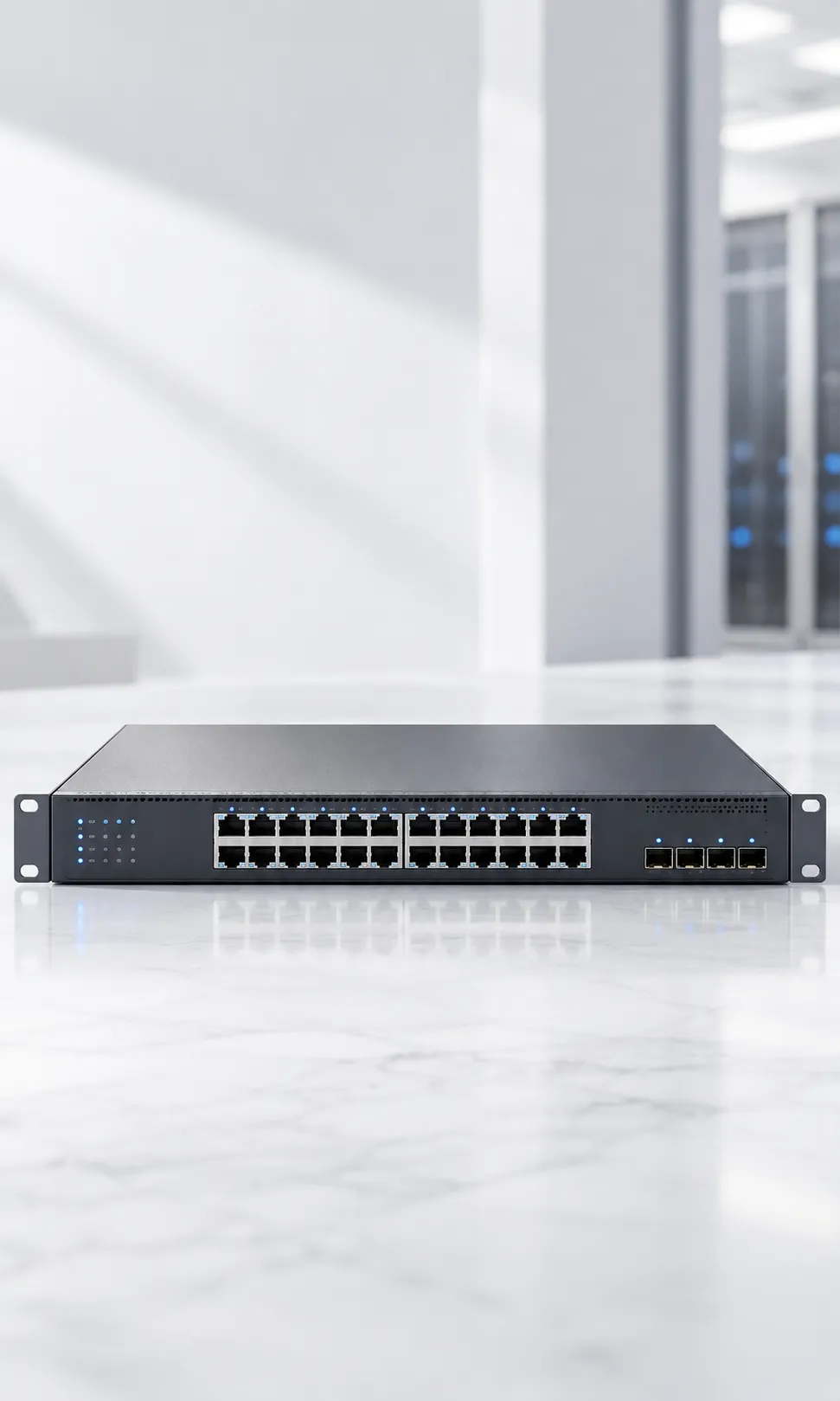
Managed Network Switches For Business Networks
Network Switches and Structured Connectivity supports organizations that need a wired network that connects users, access points, phones, cameras, servers and other IP equipment in a planned way. Fourteck can help assess the requirement, compare product options and identify dependencies before procurement. Typical environments include office access layers, server rooms, retail sites, school buildings, hospitality properties, warehouses and industrial administration networks. The right design depends on the site, users, existing equipment and required outcome, so a clear discovery discussion is the best first step.
Planning and selection
Review port count, endpoint power, uplinks, link speed, VLANs, management approach, redundancy, rack space, cable routes, growth and monitoring. Then compare managed or unmanaged, PoE standard and power budget, copper or fiber uplinks, switching capacity, Layer 2 or Layer 3 needs, stacking, fan and noise profile, support. Check exact model numbers, interfaces, included accessories, licensing, warranty, delivery and installation responsibility. Separate essential requirements from preferences, and confirm assumptions against manufacturer documentation or a site assessment where needed.
What the solution should achieve
A well-planned network switches and structured connectivity project should deliver a more organized LAN where connected devices receive appropriate network access and administrators can troubleshoot with clearer visibility. Define acceptance points, identify who administers the system and document how routine changes or faults will be handled. Clear ownership supports a smoother handover and makes future troubleshooting more predictable.
Common business use cases
- Powering compatible wireless access points and IP phones: define the users, location and operating requirements, then verify the expected result during handover.
- Connecting cameras and access-control controllers: define the users, location and operating requirements, then verify the expected result during handover.
- Aggregating floor or building links: define the users, location and operating requirements, then verify the expected result during handover.
- Separating staff, guest, voice and device traffic: define the users, location and operating requirements, then verify the expected result during handover.
Map how the system depends on cabling, network capacity, power, software, user accounts or other equipment. Assign an owner to each dependency and note any local differences across sites.
Security and operating note: check the total PoE budget at expected load and allow for startup demand and future devices. Confirm transceiver compatibility, cable quality and configuration backups before deployment. Confirm relevant requirements and vendor guidance before deployment. No single product replaces a broader security, safety or privacy program.
Fourteck can help clarify specifications, quantities and open questions. Share site locations, target dates, existing model numbers and preferred platforms. Complex projects may need a survey, pilot or phased rollout.
Frequently asked question: How many switch ports should a business order?
Count active endpoints, include the uplinks and any reserved ports, then allow reasonable growth for the site. Also verify PoE needs and port speed, because the number of sockets alone does not define suitability.
Wi-Fi Access Points and Wireless Networks in Oman
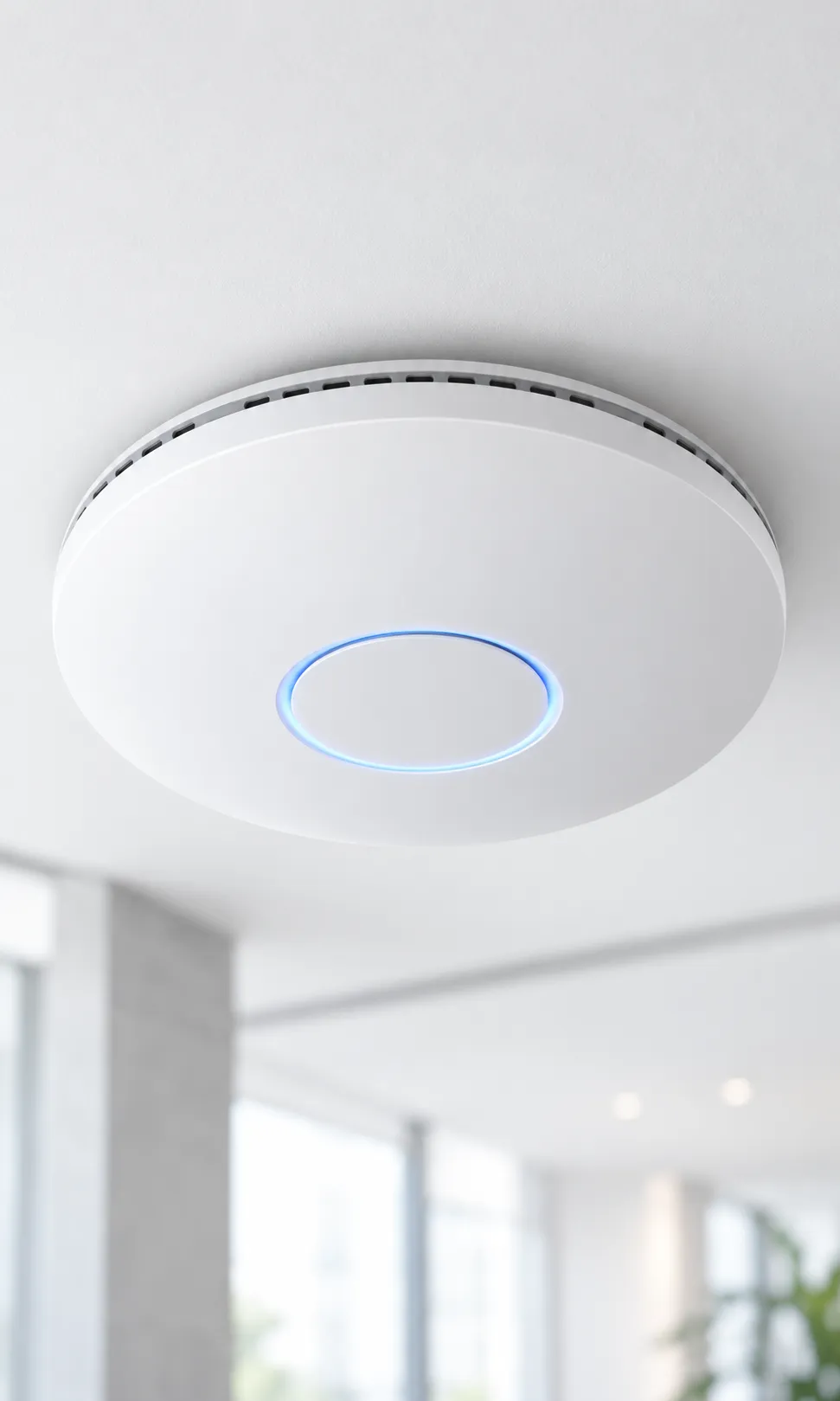
Wi-Fi Access Points For Business Networks
Wi-Fi Access Points and Wireless Networks supports organizations that need wireless coverage and capacity matched to building layout, device density, applications and roaming expectations. Fourteck can help assess the requirement, compare product options and identify dependencies before procurement. Typical environments include offices, classrooms, hotels, clinics, warehouses, retail spaces, meeting venues and guest-access environments. The right design depends on the site, users, existing equipment and required outcome, so a clear discovery discussion is the best first step.
Planning and selection
Review floor plan, wall materials, client density, application mix, interference, mounting position, cabling, PoE, channel planning, roaming and guest access policy. Then compare indoor or outdoor model, Wi-Fi generation, radio configuration, client capacity, antenna pattern, controller or cloud management, security features and PoE class. Check exact model numbers, interfaces, included accessories, licensing, warranty, delivery and installation responsibility. Separate essential requirements from preferences, and confirm assumptions against manufacturer documentation or a site assessment where needed.
What the solution should achieve
A well-planned wi-fi access points and wireless networks project should deliver a designed wireless service with more predictable coverage and a clear path to monitor, adjust and extend it as usage changes. Define acceptance points, identify who administers the system and document how routine changes or faults will be handled. Clear ownership supports a smoother handover and makes future troubleshooting more predictable.
Common business use cases
- Employee Wi-Fi with role-based access: define the users, location and operating requirements, then verify the expected result during handover.
- Guest wireless with an isolated policy: define the users, location and operating requirements, then verify the expected result during handover.
- Wireless coverage for classrooms and meeting areas: define the users, location and operating requirements, then verify the expected result during handover.
- Connectivity for mobile devices and approved IoT endpoints: define the users, location and operating requirements, then verify the expected result during handover.
Map how the system depends on cabling, network capacity, power, software, user accounts or other equipment. Assign an owner to each dependency and note any local differences across sites.
Security and operating note: adding access points without a radio plan can increase interference instead of improving service. Validate coverage and capacity on site, and maintain separate, well-governed access for guests and business devices. Confirm relevant requirements and vendor guidance before deployment. No single product replaces a broader security, safety or privacy program.
Fourteck can help clarify specifications, quantities and open questions. Share site locations, target dates, existing model numbers and preferred platforms. Complex projects may need a survey, pilot or phased rollout.
Frequently asked question: How many Wi-Fi access points does a building need?
The answer depends on building materials, layout, user density, device mix and required performance. A predictive plan followed by an on-site validation provides a more useful estimate than square metres alone.
Access Control Systems in Oman
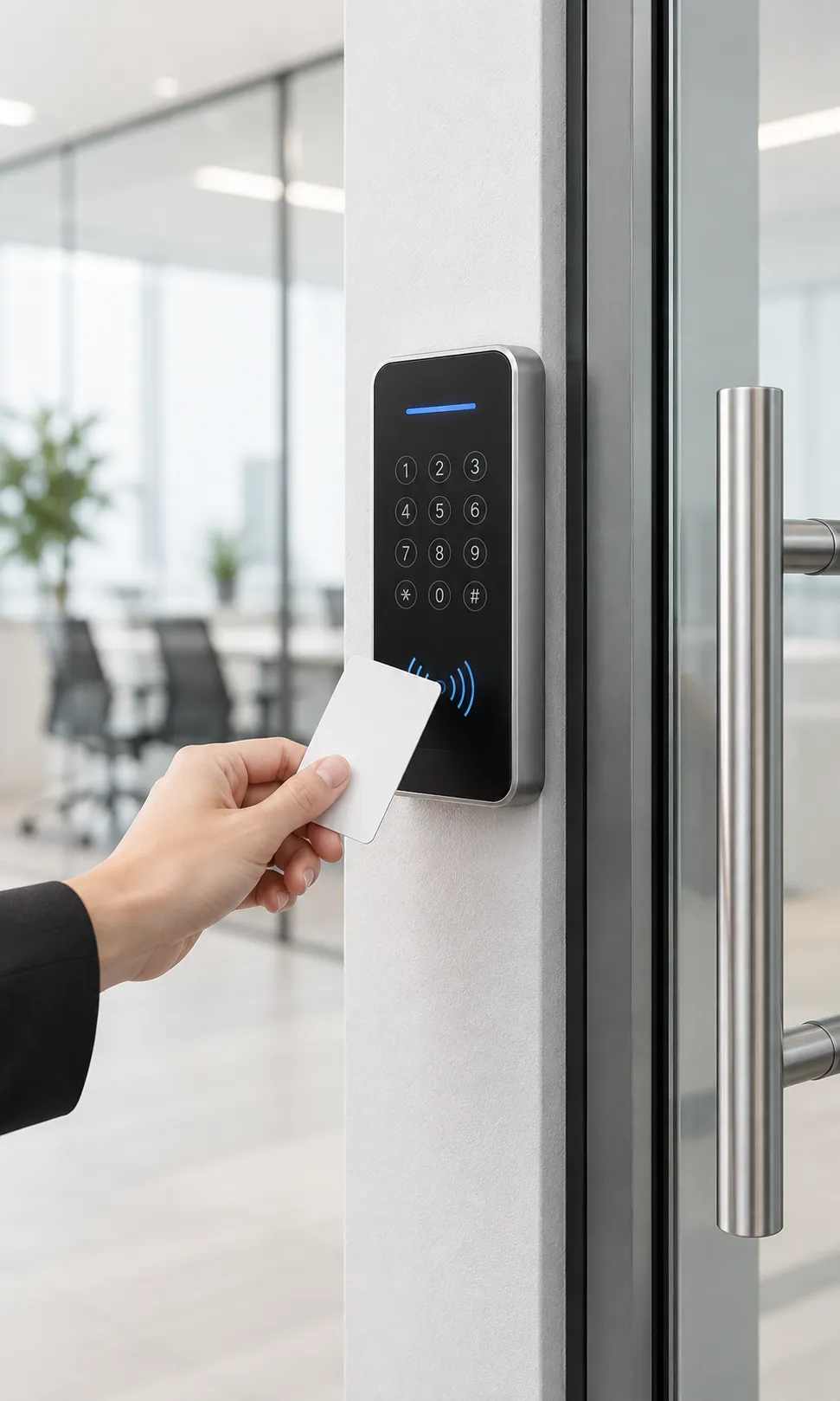
Business Access Control Systems
Access Control Systems supports organizations that need a controlled way to manage who can enter selected doors, when access is allowed and how credentials are administered. Fourteck can help assess the requirement, compare product options and identify dependencies before procurement. Typical environments include office entrances, server rooms, staff-only areas, clinics, schools, warehouses, multi-tenant buildings and controlled storage spaces. The right design depends on the site, users, existing equipment and required outcome, so a clear discovery discussion is the best first step.
Planning and selection
Review door type and hardware, user groups, credential method, schedules, visitor procedures, network availability, power backup, event logs, integrations and emergency egress. Then compare card, mobile or PIN credential, readers and controllers, door count, software hosting, event retention, integration with CCTV or visitor processes and support. Check exact model numbers, interfaces, included accessories, licensing, warranty, delivery and installation responsibility. Separate essential requirements from preferences, and confirm assumptions against manufacturer documentation or a site assessment where needed.
What the solution should achieve
A well-planned access control systems project should deliver a documented access process that makes permissions easier to issue, review and revoke as people and responsibilities change. Define acceptance points, identify who administers the system and document how routine changes or faults will be handled. Clear ownership supports a smoother handover and makes future troubleshooting more predictable.
Common business use cases
- Limiting entry to server and communications rooms: define the users, location and operating requirements, then verify the expected result during handover.
- Managing employee access by department or schedule: define the users, location and operating requirements, then verify the expected result during handover.
- Recording access events for authorized review: define the users, location and operating requirements, then verify the expected result during handover.
- Coordinating visitor entry with reception procedures: define the users, location and operating requirements, then verify the expected result during handover.
Map how the system depends on cabling, network capacity, power, software, user accounts or other equipment. Assign an owner to each dependency and note any local differences across sites.
Security and operating note: door hardware and life-safety requirements must be considered together. Confirm local code and fire-egress requirements with qualified parties before installation or changing lock behavior. Confirm relevant requirements and vendor guidance before deployment. No single product replaces a broader security, safety or privacy program.
Fourteck can help clarify specifications, quantities and open questions. Share site locations, target dates, existing model numbers and preferred platforms. Complex projects may need a survey, pilot or phased rollout.
Frequently asked question: Can access control work with CCTV?
Many deployments can associate access events with video review, subject to compatible platforms and careful configuration. Integration can help authorized staff investigate an event, but it should be designed around privacy, retention and role-based access.
Interactive Wallboards and Digital Collaboration Displays in Oman

Interactive Wallboards For Business And Education
Interactive Wallboards and Digital Collaboration Displays supports organizations that need a shared surface for presenting information, annotating ideas and involving people in a room or remote session. Fourteck can help assess the requirement, compare product options and identify dependencies before procurement. Typical environments include classrooms, training rooms, meeting spaces, workshops, project rooms and customer-facing demonstration areas. The right design depends on the site, users, existing equipment and required outcome, so a clear discovery discussion is the best first step.
Planning and selection
Review screen size, viewing distance, room light, touch requirements, mounting structure, operating system, software, wireless sharing, camera and microphone integration. Then compare display size and resolution, touch technology, stylus experience, ports, embedded compute, conferencing support, device compatibility, mounting and warranty. Check exact model numbers, interfaces, included accessories, licensing, warranty, delivery and installation responsibility. Separate essential requirements from preferences, and confirm assumptions against manufacturer documentation or a site assessment where needed.
What the solution should achieve
A well-planned interactive wallboards and digital collaboration displays project should deliver a usable collaboration display that supports the room’s real teaching or meeting workflow rather than acting as an isolated screen. Define acceptance points, identify who administers the system and document how routine changes or faults will be handled. Clear ownership supports a smoother handover and makes future troubleshooting more predictable.
Common business use cases
- Annotating presentations and project plans: define the users, location and operating requirements, then verify the expected result during handover.
- Interactive instruction and training: define the users, location and operating requirements, then verify the expected result during handover.
- Brainstorming with in-room participants: define the users, location and operating requirements, then verify the expected result during handover.
- Sharing digital content during consultations: define the users, location and operating requirements, then verify the expected result during handover.
Map how the system depends on cabling, network capacity, power, software, user accounts or other equipment. Assign an owner to each dependency and note any local differences across sites.
Security and operating note: confirm structural mounting, power and data routes, software compatibility and content-sharing security. Train users on common tasks so the equipment becomes part of the normal room routine. Confirm relevant requirements and vendor guidance before deployment. No single product replaces a broader security, safety or privacy program.
Fourteck can help clarify specifications, quantities and open questions. Share site locations, target dates, existing model numbers and preferred platforms. Complex projects may need a survey, pilot or phased rollout.
Frequently asked question: What is the difference between a wallboard and a standard display?
An interactive wallboard adds touch or annotation features that support direct collaboration. The right choice depends on whether users need interaction, the room software and how content will be shared.
Commercial TVs and Display Systems in Oman

Commercial Tvs And Business Display Systems
Commercial TVs and Display Systems supports organizations that need clear visual communication for meetings, customer information, training, signage and shared viewing. Fourteck can help assess the requirement, compare product options and identify dependencies before procurement. Typical environments include reception areas, meeting rooms, hotels, retail sites, staff areas, clinics, classrooms and public-facing business spaces. The right design depends on the site, users, existing equipment and required outcome, so a clear discovery discussion is the best first step.
Planning and selection
Review viewing distance, ambient light, viewing hours, landscape or portrait orientation, content source, cable route, mounting, control and service access. Then compare commercial or consumer model, screen size, brightness, operating schedule, orientation support, connectivity, content player, mounting and warranty. Check exact model numbers, interfaces, included accessories, licensing, warranty, delivery and installation responsibility. Separate essential requirements from preferences, and confirm assumptions against manufacturer documentation or a site assessment where needed.
What the solution should achieve
A well-planned commercial tvs and display systems project should deliver a display setup that is readable from its intended audience area and practical to operate, maintain and update. Define acceptance points, identify who administers the system and document how routine changes or faults will be handled. Clear ownership supports a smoother handover and makes future troubleshooting more predictable.
Common business use cases
- Presenting information during meetings: define the users, location and operating requirements, then verify the expected result during handover.
- Showing menus, notices or service updates: define the users, location and operating requirements, then verify the expected result during handover.
- Displaying approved dashboards and announcements: define the users, location and operating requirements, then verify the expected result during handover.
- Supporting training and visitor orientation: define the users, location and operating requirements, then verify the expected result during handover.
Map how the system depends on cabling, network capacity, power, software, user accounts or other equipment. Assign an owner to each dependency and note any local differences across sites.
Security and operating note: not every television is intended for continuous commercial operation or portrait mounting. Check manufacturer specifications and local installation conditions before selecting a unit. Confirm relevant requirements and vendor guidance before deployment. No single product replaces a broader security, safety or privacy program.
Fourteck can help clarify specifications, quantities and open questions. Share site locations, target dates, existing model numbers and preferred platforms. Complex projects may need a survey, pilot or phased rollout.
Frequently asked question: How do we size a meeting-room display?
Consider the farthest seat, the smallest text or detail users need to read, room lighting and whether participants view spreadsheets, video or slides. Test a proposed size against the room layout before ordering multiple units.
IP Camera Systems in Oman
Ip Camera Systems For Business Security
IP Camera Systems supports organizations that need network-connected cameras that provide useful views of important areas and integrate with an appropriate recording environment. Fourteck can help assess the requirement, compare product options and identify dependencies before procurement. Typical environments include office entrances, warehouses, retail spaces, campuses, hospitality properties and remote site perimeters. The right design depends on the site, users, existing equipment and required outcome, so a clear discovery discussion is the best first step.
Planning and selection
Review camera placement, field of view, lighting, network bandwidth, PoE budget, recorder or VMS capacity, retention goals, secure user access and privacy boundaries. Then compare camera resolution and lens, fixed or varifocal view, indoor or outdoor rating, low-light capability, analytics, storage method, compatibility and lifecycle support. Check exact model numbers, interfaces, included accessories, licensing, warranty, delivery and installation responsibility. Separate essential requirements from preferences, and confirm assumptions against manufacturer documentation or a site assessment where needed.
What the solution should achieve
A well-planned ip camera systems project should deliver video coverage that authorized staff can review while the organization manages recording, access and retention in a controlled way. Define acceptance points, identify who administers the system and document how routine changes or faults will be handled. Clear ownership supports a smoother handover and makes future troubleshooting more predictable.
Common business use cases
- Monitoring entrances and reception areas: define the users, location and operating requirements, then verify the expected result during handover.
- Reviewing warehouse and loading activity: define the users, location and operating requirements, then verify the expected result during handover.
- Covering selected public or shared spaces: define the users, location and operating requirements, then verify the expected result during handover.
- Checking remote facilities through approved access: define the users, location and operating requirements, then verify the expected result during handover.
Map how the system depends on cabling, network capacity, power, software, user accounts or other equipment. Assign an owner to each dependency and note any local differences across sites.
Security and operating note: IP video uses network and storage resources. Segment and secure camera traffic, change default credentials, limit remote access, plan updates and align recording with applicable privacy requirements. Confirm relevant requirements and vendor guidance before deployment. No single product replaces a broader security, safety or privacy program.
Fourteck can help clarify specifications, quantities and open questions. Share site locations, target dates, existing model numbers and preferred platforms. Complex projects may need a survey, pilot or phased rollout.
Frequently asked question: What should an organization consider when selecting IP cameras?
Start with the view required, lighting, mounting location, network and storage capacity, recording duration, integration needs and privacy policy. Test the camera position to make sure the image shows the detail operators actually need.
Coordinating IT Projects Across Oman
Oman-based organizations operate in different building types, industries and geographic settings. A central office in Muscat may have a different network layout from a warehouse near Sohar, a hospitality site in Salalah, a branch in Nizwa or a project facility in Duqm. Differences in construction, site access, environmental conditions, service availability and user routines can affect the practical design. A project plan should reflect the actual location rather than assume that all sites can use the same bill of materials.
For a multi-location project, start with a consistent baseline: business objectives, user profiles, security policy, preferred platforms, support expectations and required documentation. Then record local variations such as floor layout, distance between buildings, existing cabling, available power, mounting conditions and delivery access. This creates a repeatable specification while leaving room for site-specific adjustments that are genuinely necessary.
Fourteck can support sourcing and solution discussions for customers across Oman. During initial planning, tell us which locations are in scope, whether work must happen in phases, which teams will approve the design and whether the organization already uses a preferred vendor or standard. These details help shape a realistic timeline and clarify where site surveys, testing, training or staged cutovers may be needed.
Remote locations and operational sites may need additional attention to spares, maintenance windows, environmental ratings, secure remote administration and recovery planning. Consider how a fault will be reported, whether replacement equipment is available, what can be diagnosed remotely and when an on-site visit is required. The answer will vary by equipment and service arrangement, so define it in the project scope rather than assuming a universal response time.
Planning Technology Projects for Different Oman Workplaces
Oman organizations work across very different environments: city offices, retail premises, hotels, warehouses, campuses, industrial operations and remote facilities. A sound solution begins with the way each place operates. Fourteck can help turn a business requirement into an equipment and infrastructure scope that accounts for users, buildings, connectivity, support responsibilities and future change.
Head offices and multi-floor workplaces
A head office may combine executive rooms, open-plan desks, reception areas, training spaces and a server or communications room. These areas use technology differently, so planning should account for each workflow. Staff may need laptops and docking stations, meeting rooms may need cameras and microphones, reception may depend on reliable telephony, and shared areas may benefit from clear digital displays. A floor plan helps map wireless access points, network outlets, camera views and room equipment. It also shows where cable pathways, power and mounting points need attention before installation begins.
For multi-floor offices, document the existing network before adding devices. Switch capacity, available PoE, uplink bandwidth, cabinet space and cooling can all affect the design. Identify whether the organization has a preferred network management platform and who will administer it. Where teams move between floors or meeting spaces, wireless coverage and device roaming deserve practical testing. A staged rollout can help staff learn a new system while keeping essential departments operational.
Retail, hospitality and customer-facing locations
Retail outlets, hotels, restaurants and visitor-facing facilities depend on smooth service and clear communication. Cameras may help authorized teams review incidents, while access control can help manage staff-only zones. Business Wi-Fi, point-of-sale connectivity, guest access, desk phones and meeting displays each have different availability and security needs. Teams should decide which network services are customer-facing, which devices carry business data and who can view or export recorded information. Camera placement should support operational visibility while respecting privacy expectations and organizational policy.
Busy customer areas also create practical installation constraints. Equipment should suit the space, avoid obstructing walkways, remain serviceable and connect to appropriately protected power and network points. Where a site operates extended hours, consider how technicians can access equipment without interrupting trading or guest service. Keep drawings, switch-port records and device labels current so that local staff and future support teams can find components quickly.
Warehouses, campuses and industrial facilities
Large sites often combine long cable distances, metal structures, outdoor pathways, loading bays and areas with changing occupancy. A desktop sketch rarely captures all of these conditions. A site survey can help identify line-of-sight limits, wireless interference, camera mounting options, cable routes and cabinet locations. Outdoor equipment should be selected for the actual exposure and operating conditions; verify temperature, ingress protection and mounting requirements against the product documentation. In industrial settings, clarify which systems form part of business IT and which require coordination with operational technology teams.
For a warehouse or campus, consider how devices will be grouped and managed. Network segmentation can help separate business users, cameras, access controllers, guest devices and building systems when the chosen equipment and configuration support it. Planning should also cover fiber or other appropriate backbone connections, redundant paths where justified, power resilience, environmental protection and physical security for network cabinets. Each resilience measure should address a defined operational risk and be tested as part of handover.
Branches and distributed operations
Organizations with branches in Muscat, Sohar, Salalah, Nizwa, Sur, Duqm or other locations may want consistent standards while allowing for local building and connectivity differences. A reference design can define approved device families, naming conventions, security baselines, configuration records and support contacts. Branch surveys then capture exceptions such as limited comms-room space, different internet services, legacy analog lines or site-specific camera coverage. Centralized management can simplify routine administration when products, licensing and connectivity support it, but teams should plan for what happens during a WAN interruption.
Before repeating a design across locations, pilot it at a representative site. A pilot can reveal installation time, real wireless coverage, user feedback, call quality, recording storage consumption and support effort. Record what changed after the pilot and turn the approved design into a repeatable bill of materials. This process can reduce avoidable variation, make procurement comparisons clearer and give each branch a documented path for future upgrades.
Environmental, power and room-readiness checks
Oman’s varied geography and climate make environmental suitability a project consideration, particularly for outdoor or non-conditioned spaces. Verify a device’s rated operating range, enclosure protection, ventilation and installation limits from the manufacturer. Do not assume that indoor equipment is suitable for a hot cabinet, dusty plant room or exposed exterior location. For server rooms and network closets, review rack depth, usable power, cooling, airflow, cable management, grounding and physical access. Where backup power is required, confirm expected runtime, load, maintenance ownership and shutdown behavior with the responsible facilities and IT teams.
Room readiness includes more than hardware. Check that teams can reach installed equipment for service, that cable labels match the drawings, that display mounts suit the wall structure and that conferencing equipment has the correct sightlines and acoustic conditions. A brief readiness checklist shared with facilities, IT and the installation team can catch issues while they remain inexpensive to address.
Procurement, compatibility and lifecycle decisions
When comparing quotations, match each offer to the same written requirement. Confirm exact manufacturer and model references, quantities, included accessories, software entitlements, warranty terms, support options and delivery assumptions. If a product has regional variants, verify the required power supply, radio or regulatory variant, language options and interoperability. Check licensing periods and renewal ownership, especially for security, management and collaboration platforms. The lowest initial purchase price may not represent the lowest operational cost if it omits necessary licenses, optics, mounts, subscriptions or support.
A lifecycle view makes later budgeting easier. Record purchase dates, support expiration, software versions, asset owners and replacement criteria. Keep a small approved list of user profiles for computers, standard conference-room designs and network device roles where the organization can do so. This gives procurement teams a repeatable starting point while preserving flexibility for specialist cases. Before a large order, validate high-impact assumptions using vendor documentation, a technical review or a pilot deployment.
Define success before installation begins
Agree on practical acceptance criteria before devices arrive. A camera deployment may require verified views, recording checks, access permissions and a documented retention configuration. A network project may require labelled links, updated diagrams, tested uplinks and confirmation that intended services can communicate. A telephony change may need extension tests, call-flow checks, voicemail confirmation and a cutover plan. A meeting room may need a real test call with the platforms and devices employees use, rather than a demonstration from a single control device.
Assign a named owner for each system and decide who approves changes, receives alerts, holds administrator credentials and requests support. Handover should explain routine use as well as technical configuration. Include a device inventory, serial numbers, license details, warranty records, configuration backups where appropriate, network diagrams, test results and escalation contacts. Store sensitive credentials only in an approved secure system. These simple project records help the organization maintain equipment, investigate faults and plan the next phase with confidence.
How to Plan a Business Technology Purchase
Describe the requirement
Write down the problem to solve, who experiences it, the locations involved and the desired result. Include current equipment and known limitations. This keeps the conversation focused on outcomes rather than a product name chosen before the requirement is understood.
Confirm the technical fit
Check capacity, compatibility, interfaces, power, space, network readiness, licensing, security policy and support expectations. Ask the relevant vendor or technical owner to validate assumptions that could affect operation, warranty or service continuity.
Review scope and delivery
Compare the proposed models, quantities, accessories, subscriptions, installation tasks, exclusions, handover documents and dates. Confirm how changes will be approved and who will accept the completed work.
After the purchase, maintain a simple asset and configuration record. Keep serial numbers, warranty details, support contacts, software versions, network diagrams, license renewal dates and administrator ownership in an approved system. Store recovery information securely and restrict access to people who need it. Planned maintenance and periodic review can reveal capacity constraints before they interrupt users.
Integrated Solutions: Connecting Products to Workflows
Business value often comes from how systems work together. A CCTV project can depend on switches, structured cabling, rack space, recording storage and controlled user accounts. A wireless project may require PoE capacity, VLAN design, a guest-access process and monitoring. A video meeting room can connect a wallboard or display, room camera, microphones, speakers, compute device and calendar workflow. An IP PBX can rely on a stable network, voice prioritization, compatible handsets, a numbering plan and carrier services.
For that reason, Fourteck can help customers review the complete chain around a proposed system. The review should make clear what is included, what is already available and what another provider must deliver. It should also identify the boundary between equipment supply, configuration, installation, subscription and ongoing support. These distinctions prevent gaps such as a device arriving without the necessary mounting kit or a system depending on a license that was not included in the cost plan.
When several systems connect, use a simple integration map and test plan. Record the source and destination of each connection, the account or service involved, the required network path, expected behavior and the person responsible for approval. Test normal operation as well as common failures: loss of internet, a disconnected uplink, expired credentials, a power interruption or a user who needs access removed. Not every project needs high availability, but every project benefits from knowing what happens when a dependency fails.
Support, Maintenance and Lifecycle Planning
Technology procurement should include a view of the product lifecycle. Ask how long the selected model is expected to remain available, whether security updates are provided, what warranty service covers and how the organization will source replacements. For equipment with software subscriptions, record the term, renewal owner and features that depend on an active entitlement. If a system is business-critical, identify the recovery approach and any spare equipment that would reduce downtime.
Routine maintenance can include checking alerts, reviewing access permissions, applying approved firmware updates, cleaning equipment where appropriate, testing backups, inspecting cabling and confirming that documentation remains accurate. Change windows should be agreed with users, especially for firewalls, core network equipment, telephony and access systems. Keep a record of changes and validate the key workflows after each maintenance activity.
Fourteck can discuss product supply and project requirements with customers who need a new deployment, expansion or refresh. The exact support services, response arrangements and commercial terms depend on the project and should be stated in the applicable quotation or agreement. Customers should confirm service scope and exclusions before relying on a particular support outcome.
Fourteck Regional Websites and Specialist Solutions
Fourteck serves customers through regional websites and specialist solution sites. Use the links below to explore information for other markets or focused technology areas. For projects in Oman, contact the Oman team through this website so the discussion can reflect your local requirement.
Gulf and Middle East
Technology and Service Specialists
Regional and specialist websites provide additional Fourteck information. Product availability, services and support arrangements can vary by country and project scope.
Why Organizations Choose Fourteck
Broad business technology portfolio
Customers can discuss computing, networks, cybersecurity, CCTV, access control, telephony and meeting-room equipment within one procurement conversation. This makes it easier to notice dependencies and coordinate a coherent scope across related product categories.
Requirement-led product selection
We aim to connect a recommendation to the customer’s actual environment, usage and support needs. Product details should be compared against the workflow and constraints that matter, with assumptions and open questions made visible.
Practical project coordination
For a multi-part requirement, an organized bill of materials and clear delivery boundaries help internal teams plan. A written scope can identify device quantities, accessories, licensing, installation responsibilities and acceptance steps.
Oman-focused discussions
We work with organizations seeking technology supply and solutions in Oman. Sharing the intended sites, schedules, procurement requirements and local operating context helps us shape a more relevant discussion for the project.
Every project is different, and a supplier relationship should be built on transparent specifications, confirmed availability, clear commercial terms and an agreed scope of work. Ask Fourteck to clarify any item that affects compatibility, delivery, licensing, warranty, installation or ongoing service before a purchase is approved.
Frequently Asked Questions About IT Solutions in Oman
What does an IT solutions supplier in Oman provide?
An IT solutions supplier can help organizations source and plan business technology such as computers, networking, cybersecurity, CCTV, telephony, servers, access control and conferencing systems. The scope may include product selection, compatibility checks, installation coordination or support, depending on the supplier agreement.
Does Fourteck supply products for customers outside Muscat?
Fourteck supports solution discussions for organizations across Oman. Share the site locations, quantities, schedule and delivery requirements so the team can confirm practical availability and the appropriate project scope.
Can Fourteck help with both products and complete solutions?
Yes. Customers can discuss an individual product requirement or a broader project involving multiple systems. The exact services included should be confirmed in the written quotation, including design, installation, configuration, testing, training and support.
How should I request a quotation?
Provide the product or solution category, quantity, intended use, site location, desired delivery timing and any existing model numbers or platform requirements. For a system project, include floor plans, user counts, network details and required integrations where available.
Can existing network and security equipment be reused?
Reuse may be possible when the equipment is supported, compatible, adequately sized and in suitable condition. A review should check model and firmware, licenses, configuration, performance headroom, security status and warranty before a project depends on it.
Can products from different manufacturers work together?
Often they can, but integration depends on supported standards, interfaces, software versions, licensing and configuration. Verify compatibility for the exact models and intended functions before procurement, especially for telephony, conferencing, CCTV and management platforms.
What should a multi-branch Oman IT project include?
A multi-branch project should define common standards, location-specific requirements, network connectivity, security policy, deployment phases, support ownership, spares, documentation and acceptance tests. Site surveys may be needed where layout or infrastructure differs.
Does Fourteck provide installation and configuration?
Project services vary by requirement and commercial scope. Ask the Fourteck team to list whether site survey, installation, configuration, testing, user orientation and post-deployment support are included or provided separately.
How can a company improve cybersecurity when buying IT equipment?
Use a security review that covers supported firmware, unique administrator credentials, access control, network segmentation, logging, backup, update ownership and lifecycle support. Apply the organization’s security policies and verify vendor guidance for each product.
How should businesses plan CCTV retention?
Determine the operational purpose, expected review needs, camera count, recording quality, frame rate, storage design and applicable retention requirements. Restrict footage access and validate the chosen retention period against organizational policy and local legal advice.
What information helps plan an office Wi-Fi upgrade?
Share floor plans, building materials, typical user count, device types, applications, meeting-room use, current access-point models, internet service and areas with poor coverage. A site assessment can validate the design and reveal interference or cabling issues.
How do I choose business laptops and desktops?
List the applications and workload for each user group, then specify performance, memory, storage, screen, mobility, docking, security and support requirements. A small set of role-based configurations can make deployment and lifecycle management easier.
What is needed before replacing a business telephone system?
Document current numbers, extensions, call flows, carrier services, analog devices, emergency-call expectations, voicemail, queues, integrations and after-hours behavior. Plan number porting and user communications before a cutover.
Can the systems on this page be combined in one project?
Yes. Networking, Wi-Fi, firewalls, cameras, access control, telephony, meeting rooms and displays can be coordinated when the technical dependencies and responsibilities are understood. Each integration should be checked against actual equipment and licensing.
How can we avoid buying the wrong model?
Begin with requirements and confirm exact model numbers, interfaces, included accessories, software entitlements, support terms and compatibility. For higher-impact deployments, validate the specification with a technical assessment or pilot before a large rollout.
Does a higher specification always mean a better solution?
No single specification determines suitability. Capacity, interoperability, ease of management, operating conditions, warranty, support, licensing and lifecycle cost all matter. Select against the agreed use case and budget rather than a headline number alone.
What should a project handover include?
A useful handover can include an asset list, serial numbers, warranties, licenses, configuration records, network diagrams, account ownership, operating instructions, training notes, test results and escalation contacts. Store sensitive information in an approved secure location.
How can Fourteck help if we only know the problem, not the product?
Describe what users cannot do today, the business impact, affected locations and any time or budget constraints. Fourteck can help identify the relevant solution category and the information required to develop a suitable scope.
Discuss Your Oman IT Requirement with Fourteck
Whether you need CCTV cameras, an office firewall, a Wi-Fi upgrade, a new IP PBX, business computers, server infrastructure or a complete meeting-room setup, start with the requirement and the site context. Tell us what you need to improve, which locations are involved, how many users or devices are in scope and whether you have existing equipment that must integrate.
Fourteck can help turn that information into a product discussion and a clearer project scope. Use the contact options already available on the Oman website to share your requirement, preferred timeline and any specification documents. Our team can then confirm the next steps and the information needed for a quotation.
Product features, availability, warranties, licensing and service scope depend on the selected manufacturer, model and quotation. Confirm current specifications and project terms before ordering. This page provides general business technology information and does not replace a site survey, professional security assessment or legal advice.